
CSV and delimited text · macOS
CSV Desk
Open the CSV that Excel and Numbers give up on. Sort it, filter it, fix a few cells, and see what is actually in each column. Nothing is uploaded, and the file you opened is never overwritten.
One-time purchase · Works offline · Never uploaded · macOS 12+
- OpensComma · tab · semicolon · pipe
- Largest tested5 GB, millions of rows
- Runs onmacOS 12+ · Apple silicon and Intel
- PriceOne-time, no subscription
The problem
The export is 2 GB and nothing will open it
Excel stops at 1,048,576 rows. It loads that many, warns you that the file was not loaded completely, and leaves you working on a slice. Numbers has a similar ceiling and slows down long before it. A database export, a log dump or an analytics download goes past both.
The usual next step is the terminal, or splitting the file into pieces, or uploading it to a converter. Uploading is often the part you cannot do, because the file belongs to a client or an employer.
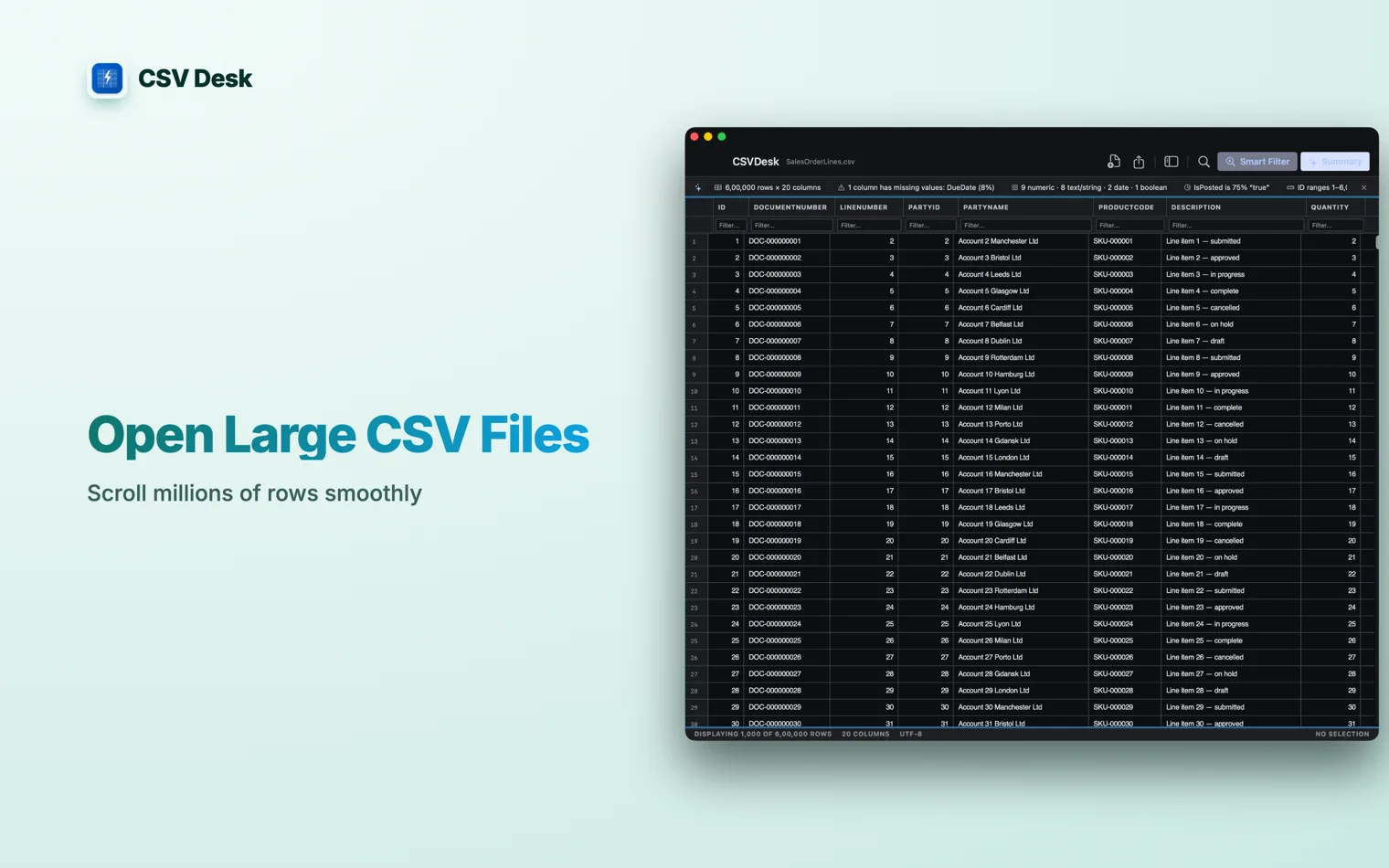
CSV Desk streams the file into a local database on your Mac. Rows are read from disk as you scroll, so memory stays flat and the size of the file stops mattering. The largest one tested so far is 5 GB.
How it works
Import it, narrow it down, export what you need
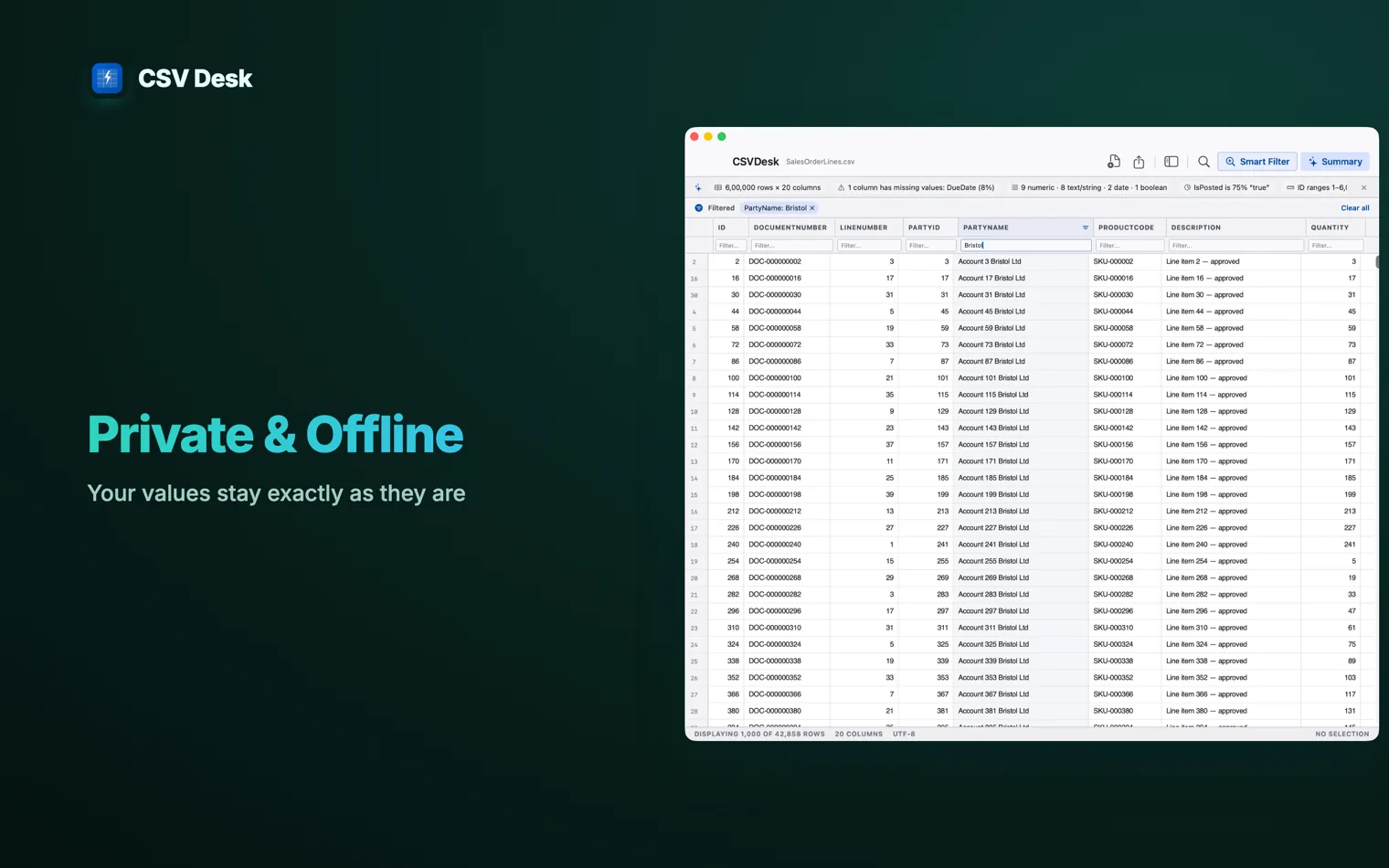
Rows are read from disk as you scroll, so memory stays flat however big the file is.
- 1
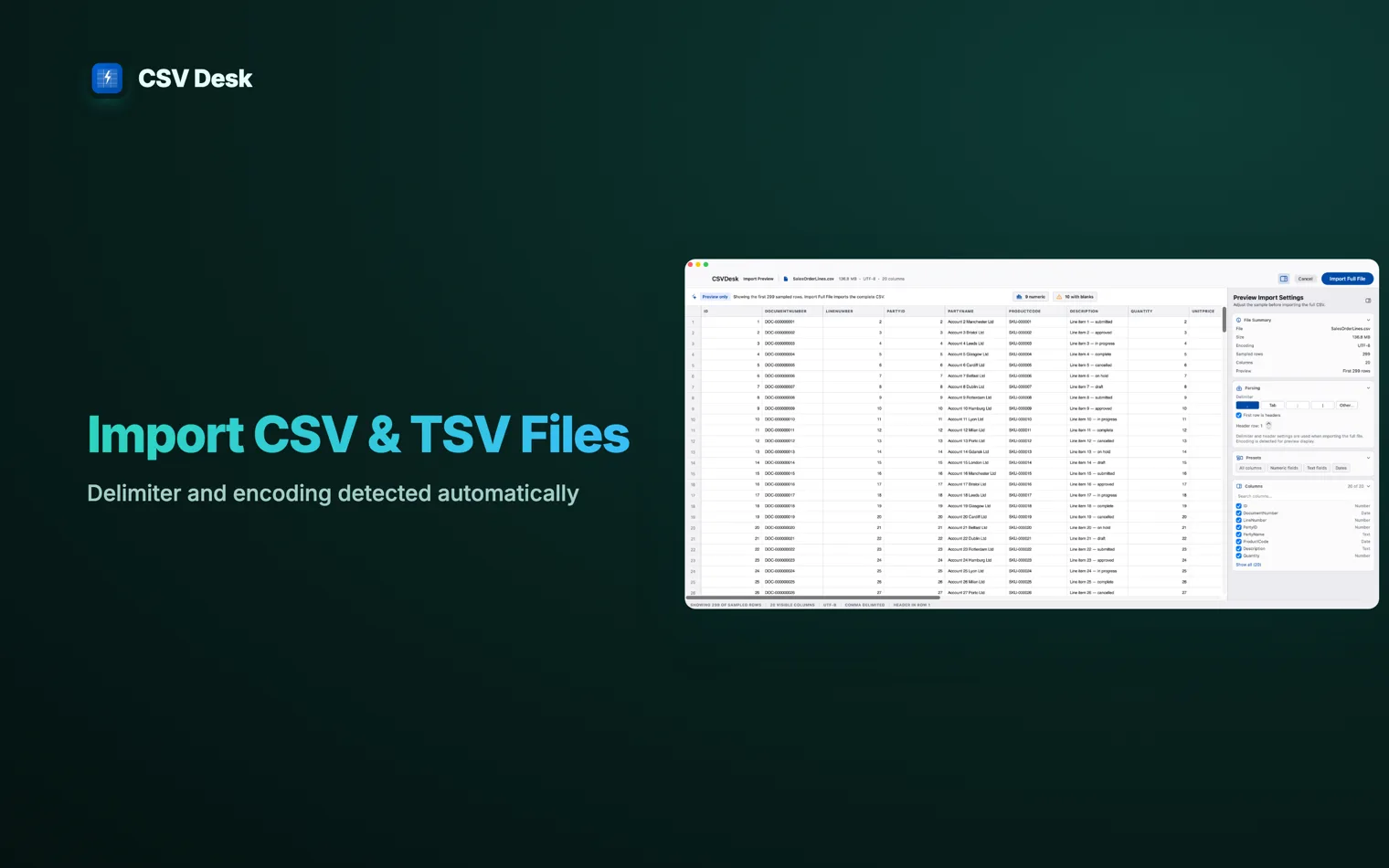
Check the file before it loads
The import preview samples the first 100 rows and detects the delimiter, the encoding and whether row one is a header. Exports from analytics tools often start with a block of metadata; that is detected and skipped. Anything it gets wrong you can change in the same panel.
- 2
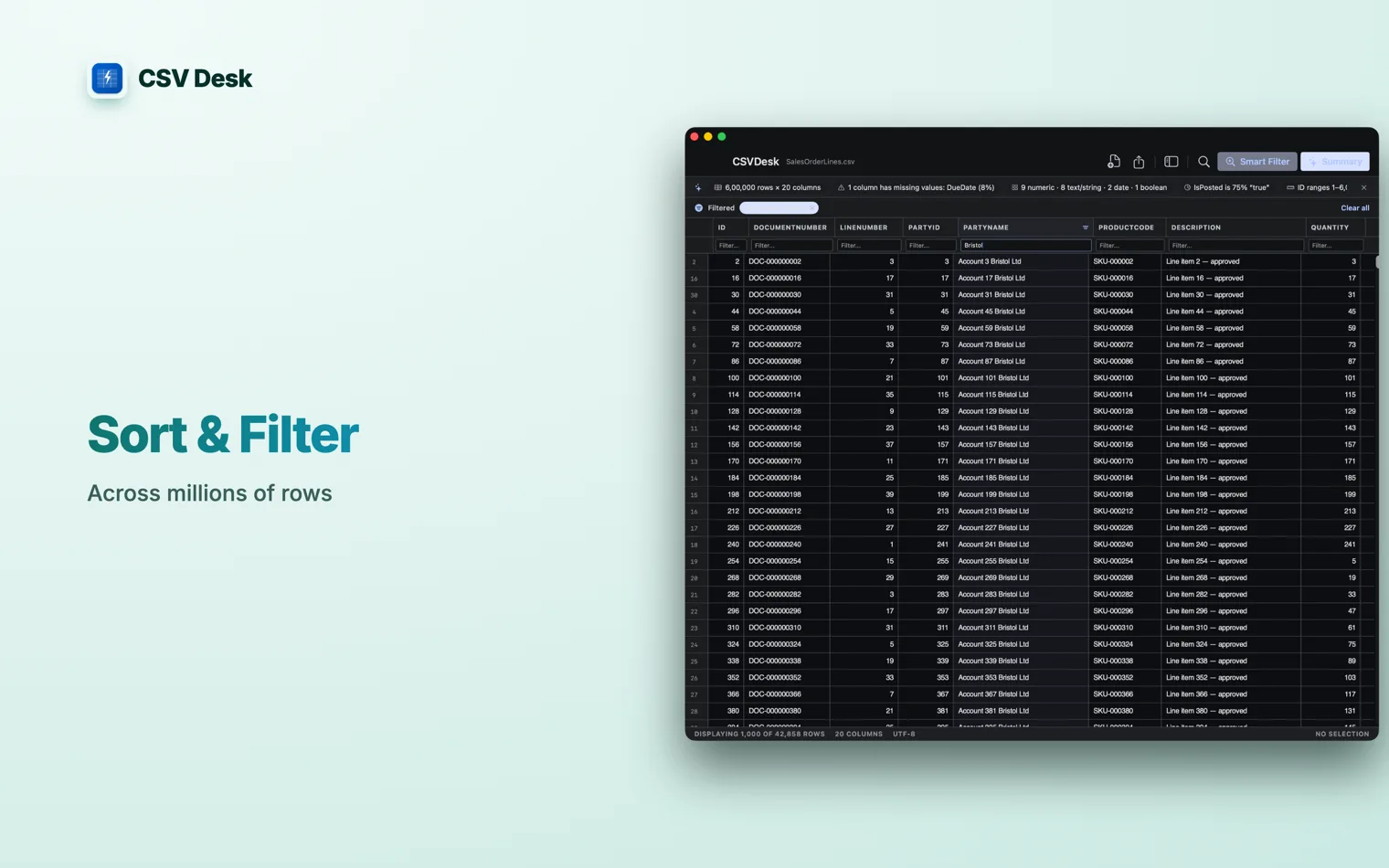
Sort, filter and find
Click a header to sort. Type in the box under a header to filter. Find and replace runs across the whole file, not the visible part.
- 3
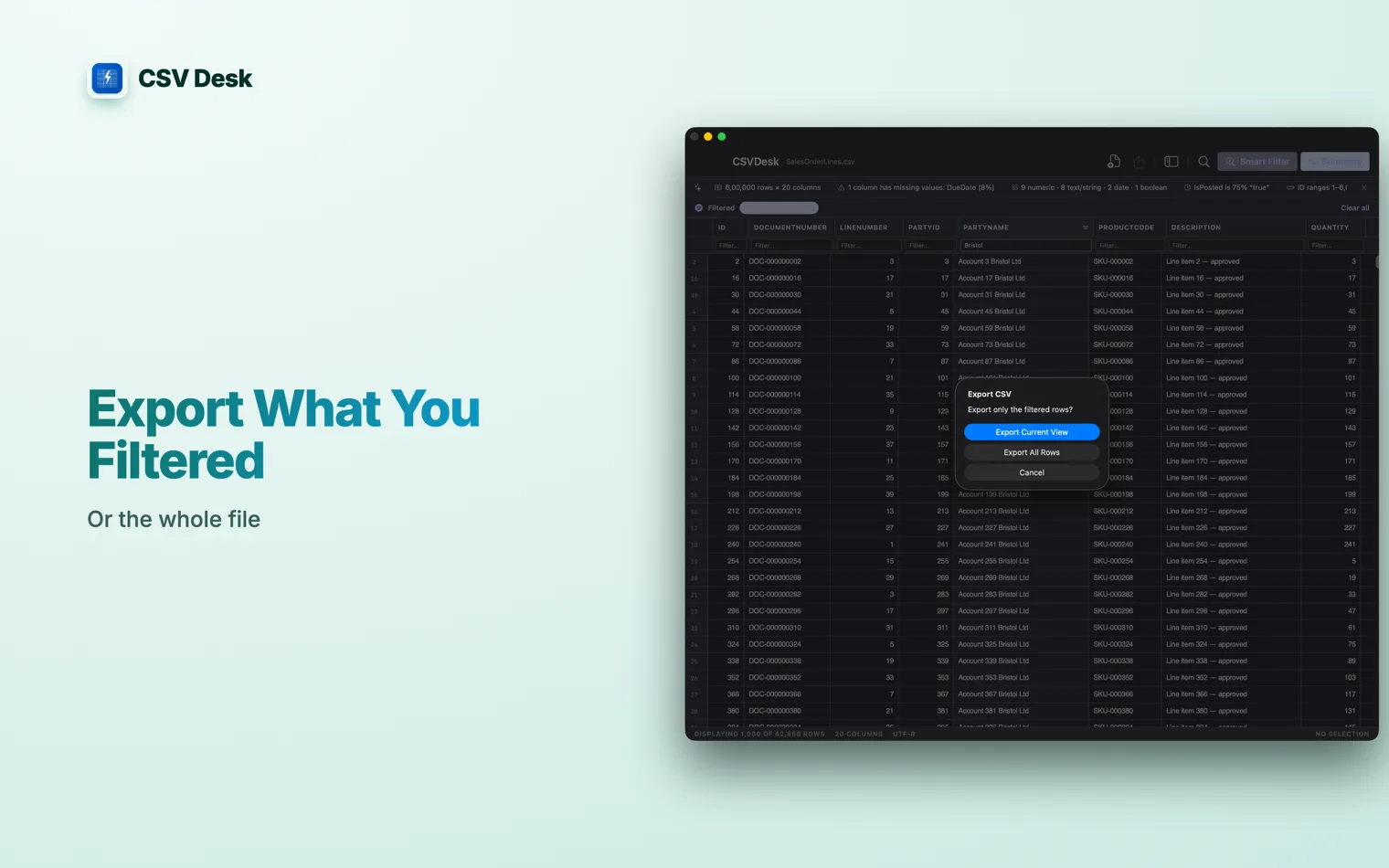
Export exactly what you filtered
Delimiter, quoting, encoding and line endings match what you imported, and you can export the filtered view instead of everything.
Column Explorer
It tells you what is in the file
A wide CSV is intimidating before it is useful. Forty columns of unfamiliar names, and no idea which ones are empty.
The Column Explorer lists every column with its type and how complete it is, then distinct counts, ranges and the most common values for the one you pick. Select a block of cells and the status bar shows the count, sum, average, minimum and maximum for them.
Someone who is not technical tried an early version and described it as a bridge between a spreadsheet and a database. That is the part worth keeping. You get the answers a database would give you without learning to ask for them.
Ask for the rows you want
Type a condition and the matching rows stay. country = 'Chile' works as typed, on any supported Mac. With Apple Intelligence you can write the same request as a sentence and it is turned into the condition for you, which is shown to you before it runs.
Features
What it does
Opens the file in seconds
Multi-gigabyte CSVs, millions of rows, smooth scrolling. The data lives in SQLite on disk rather than in memory.
Skips the junk at the top
A metadata block and a blank line before the real header are detected and skipped, and the row count is yours to override.
Edits cells with undo
Fix a few values in place, with 50 levels of undo.
Every common delimiter
Comma, tab, semicolon and pipe, plus a separator you type yourself, in UTF-8, UTF-8 with BOM, Latin-1 or Windows-1252.
Values are never coerced
Leading zeros survive. A 16-digit account number does not become
1.23457E+15. Dates keep the format they were written in.The source file is read-only
The first save opens a panel and asks where to write. Nothing overwrites your original unless you pick it.
Privacy
Nothing leaves your Mac
The app is sandboxed and has no network access, incoming or outgoing. There is no server, no account, no sign-in and no licence check. Apple Intelligence, where it is used, runs on the device.
Requirements
| macOS | 12 Monterey or later |
|---|---|
| Hardware | Apple silicon and Intel |
| Formats in | CSV and delimited text: comma, tab, semicolon, pipe, custom |
| Encodings | UTF-8, UTF-8 with BOM, Latin-1, Windows-1252 |
| Formats out | CSV, and Markdown for the summary |
| Largest file tested | 5 GB |
| Written summary and plain English filters | Apple Intelligence, macOS 26 |
| Price | One-time purchase, no subscription |
Guides
Guides for big CSV files on a Mac
Why spreadsheets choke on them, and what to use instead.
- How to Open a Large CSV File on a MacFive ways to open a multi-gigabyte CSV on macOS when Excel and Numbers refuse, and what each one costs you in time, money and privacy.
- When a CSV Is Too Big for ExcelExcel's limit is 1,048,576 rows. What the warning means, how to tell how many rows you actually have, and what to do about the ones Excel dropped.
- A CSV Editor for the MacWhat separates a CSV editor from a spreadsheet, which options exist on macOS, and the four things worth checking before you trust one with a data file.
- Excel Keeps Changing My CSV DataLeading zeros disappear, long numbers turn into 1.23457E+15 and codes become dates. Why a spreadsheet does this, and how to open the file without it happening.
- What Is a CSV File?The format in plain terms: rows, delimiters, quoting, encodings, and why the same file looks different depending on what opens it.
Common questions
How do I open a CSV file that is too big for Excel?
Excel loads the first 1,048,576 rows and stops. CSV Desk streams the file into a local database instead of loading it into memory, so a multi-gigabyte export opens in seconds and scrolls at millions of rows. The largest file tested is 5 GB.
Will it change my data?
No. Every value is kept as text, exactly as it was written. Leading zeros stay, long ID numbers do not turn into scientific notation, and dates are not reformatted. Export writes the same delimiter, quoting, encoding and line endings back out.
Does it overwrite the file I opened?
No. The file you import is treated as read-only source. The first time you save, a save panel asks where the new file goes. You can choose the original, but nothing writes over it unless you say so.
Does it work offline?
Yes, and it cannot do anything else. The app is sandboxed with no network access at all, so there is nothing to upload your data to. There is no account and no sign-in.
Do I need Apple Intelligence?
Only for the written summary and for asking questions in plain English. Those need Apple Intelligence on macOS 26. Everything else, including the column statistics, the filters and the whole grid, works on macOS 12 onwards.
Does it open TSV and other delimited files?
Yes. Comma, tab, semicolon and pipe are all handled, and you can set your own separator. The Open panel lists .csv files, so drag a .tsv or .txt file onto the window instead.
Do I need to know SQL?
No. Sorting is a click on a column header and filtering is a box under it. If you want a condition like country = 'Chile' you can type it, but nothing requires you to.